 Tiverton RFC · Junior Section · Registration Guides
Est. 1868 · Devon's oldest club
Tiverton RFC · Junior Section · Registration Guides
Est. 1868 · Devon's oldest club
Tiverton RFC · Junior Section · Registration Guides
Est. 1868 · Devon's oldest club
Tiverton RFC · Junior Section · Registration Guides
Est. 1868 · Devon's oldest club
As a parent or guardian, every season you need to review your child's RFU Membership. This is hopefully a foolproof guide to renewing a player's RFU membership for the 2026/2027 Season.
This is separate from the club's Training Fees, which are paid via Spond.
This whole process is managed online via the RFU's GMS website:
https://gms.rfu.com/GMS/Tiverton
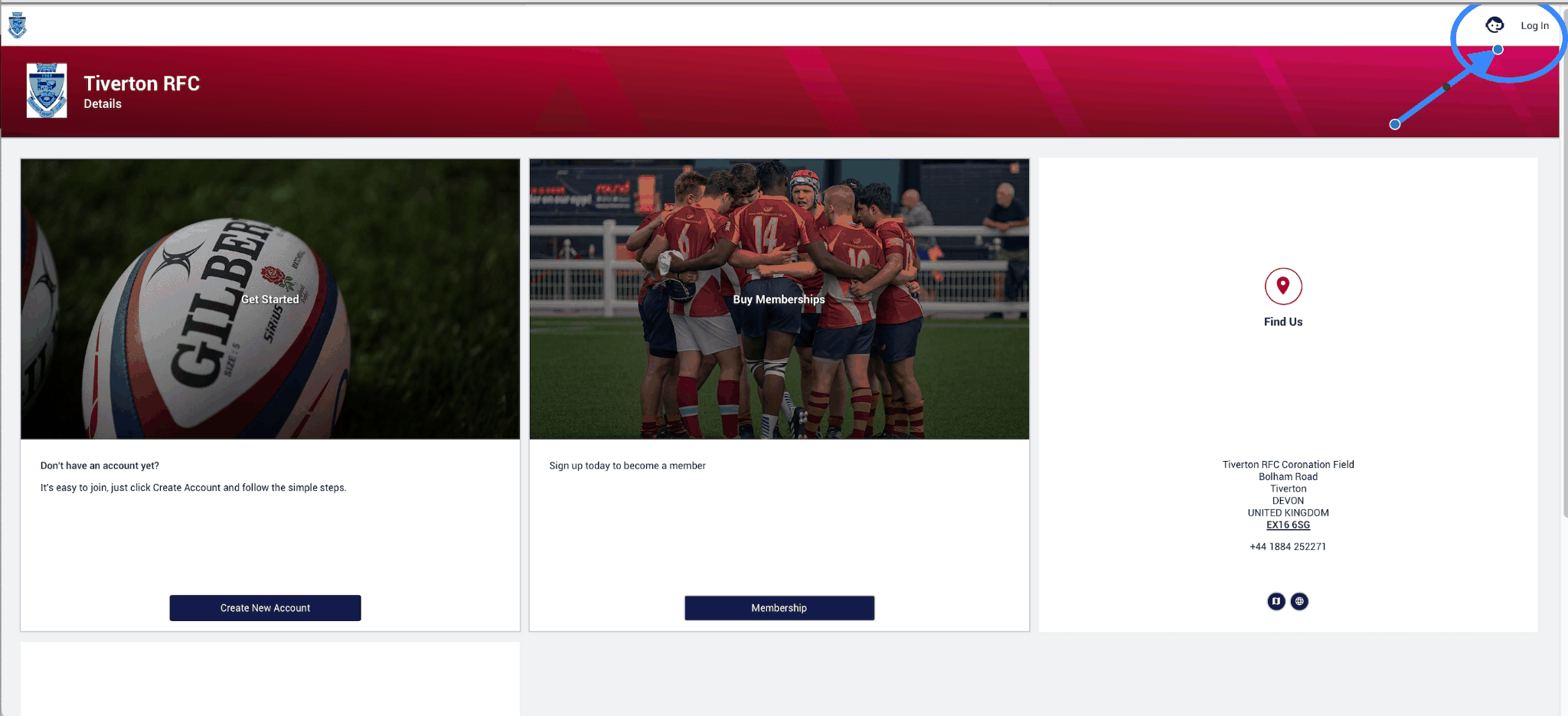
As an existing player you will have already created an account. This account is in the parent or guardian's name, not the player's. Please log in with your details via the button in the top right hand corner:
As a parent or guardian, you do NOT need to buy membership. Only the player does.
On login you will be presented with a screen similar to this:
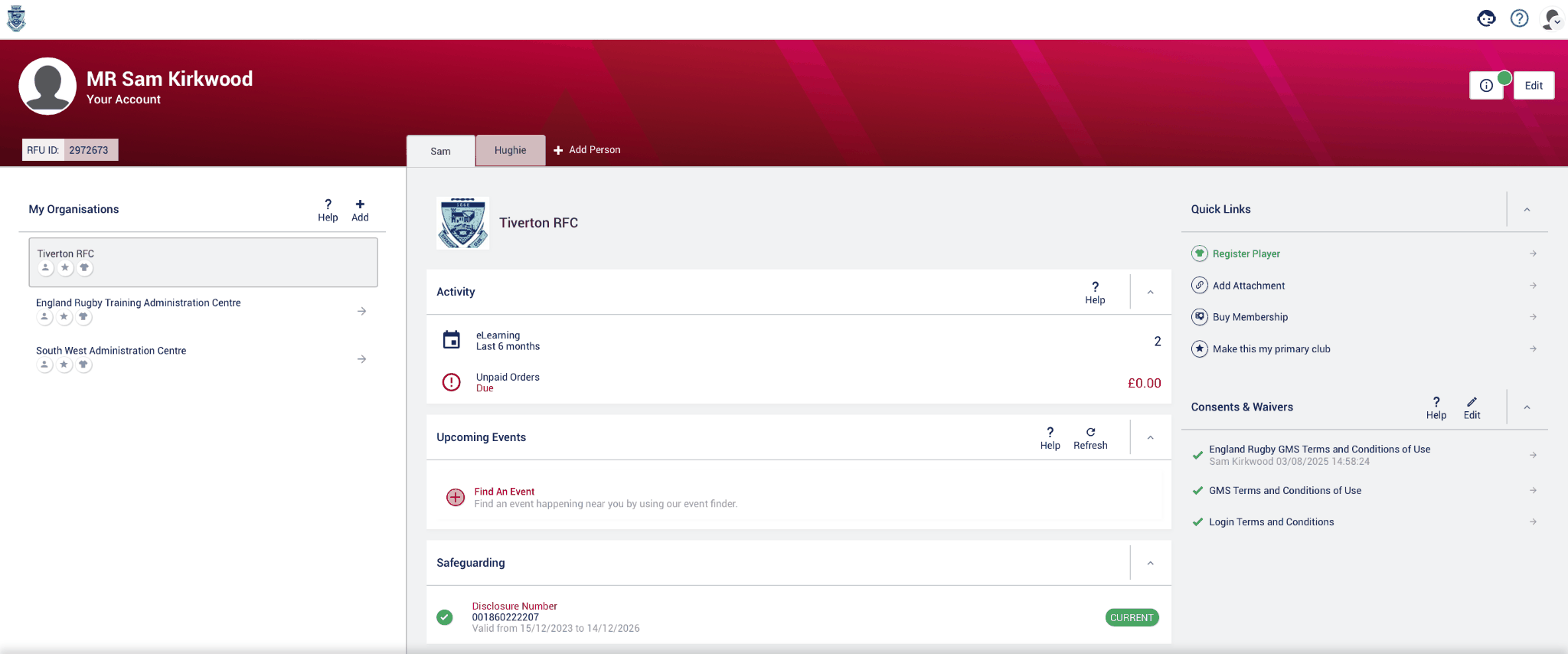
You will see your child's name on the tab — in this instance the name is Hughie:
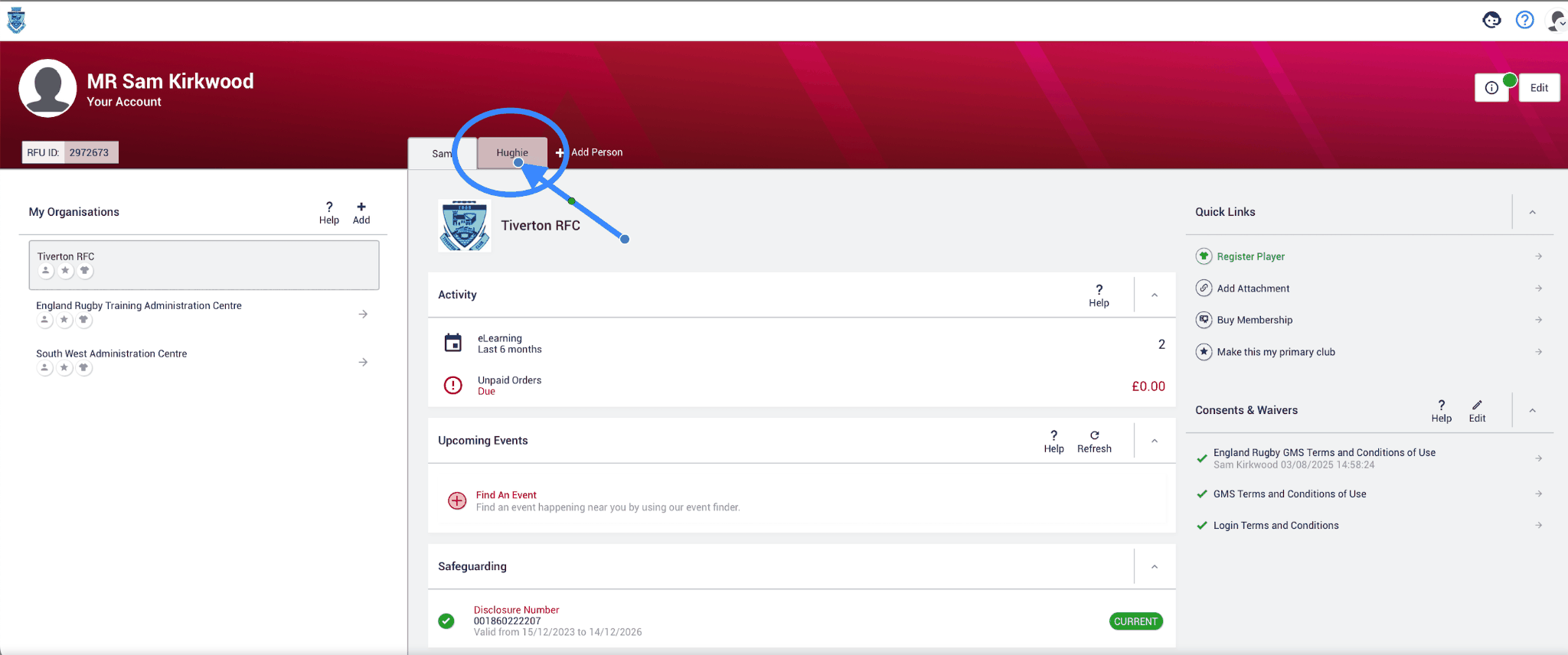
This is the first challenge that the GMS website will make you overcome. It looks deceptively easy at first glance — however, the green banner rotates automatically from BUY A MEMBERSHIP to RENEW PLAYER REGISTRATION. The font is so incredibly small it's easy to click the wrong one.
You want to click on this one — Buy A Membership:

Once clicked you will see this screen. (I have zoomed out my screen to make screenshots easy, so you may need to scroll down.)
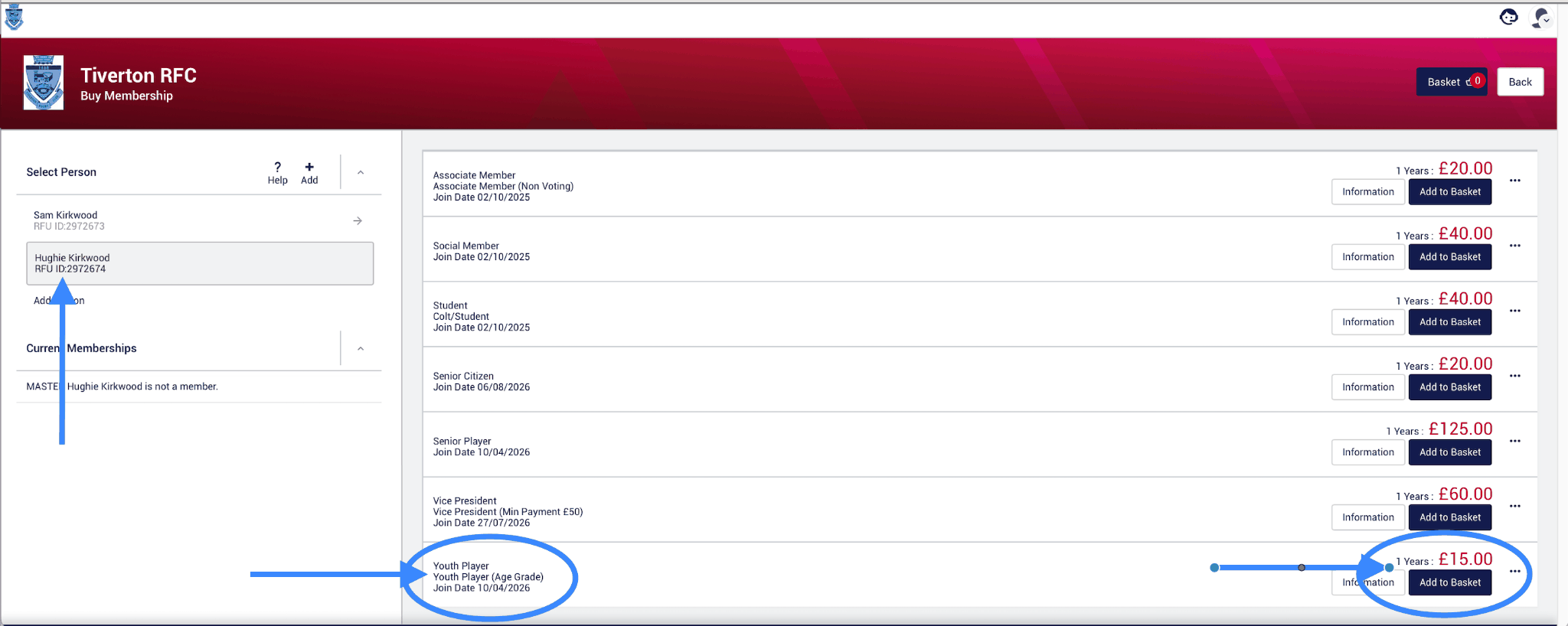
Ensure you are still in the player's tab — easy to check, as their name will be highlighted as per the screenshot. Then click ADD TO BASKET.
Bizarrely, the YOUTH PLAYER option disappears after you have clicked it. But you will see the BASKET button at the top of the page now has a 1 on it — now you need to click the CHECKOUT button:
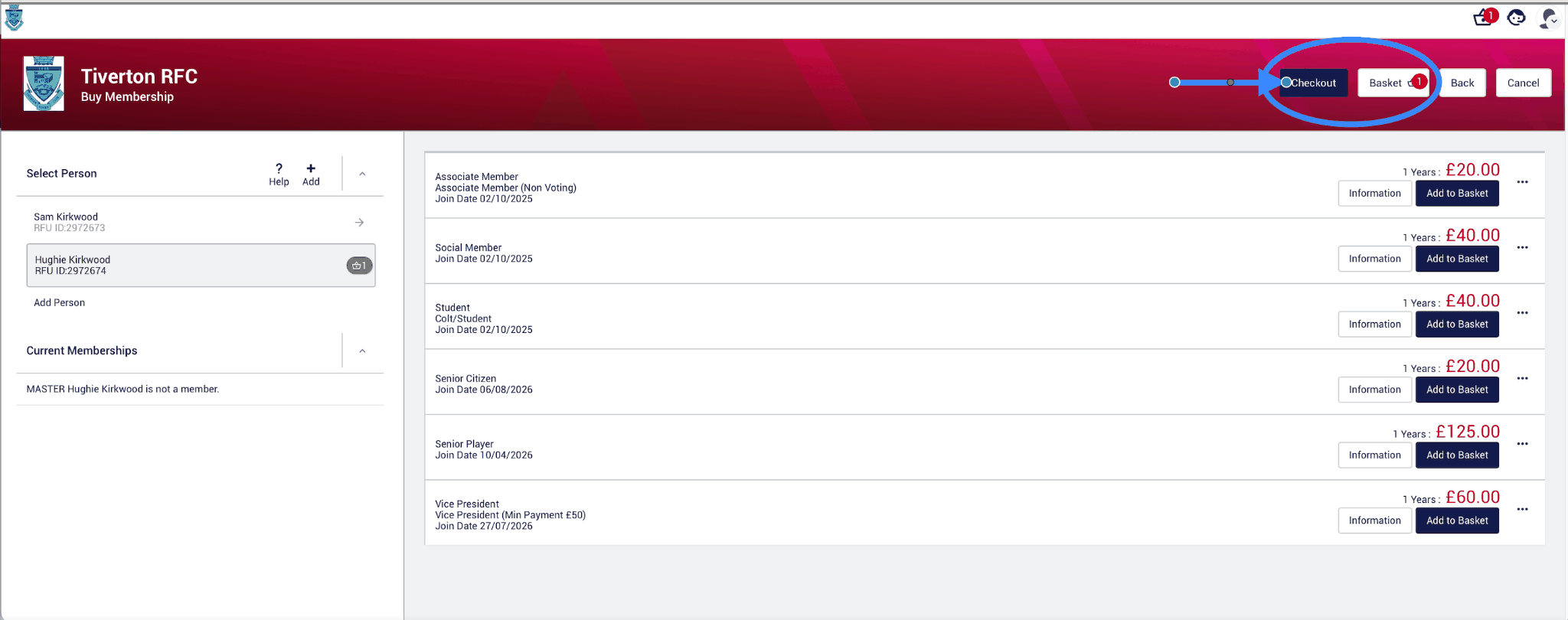
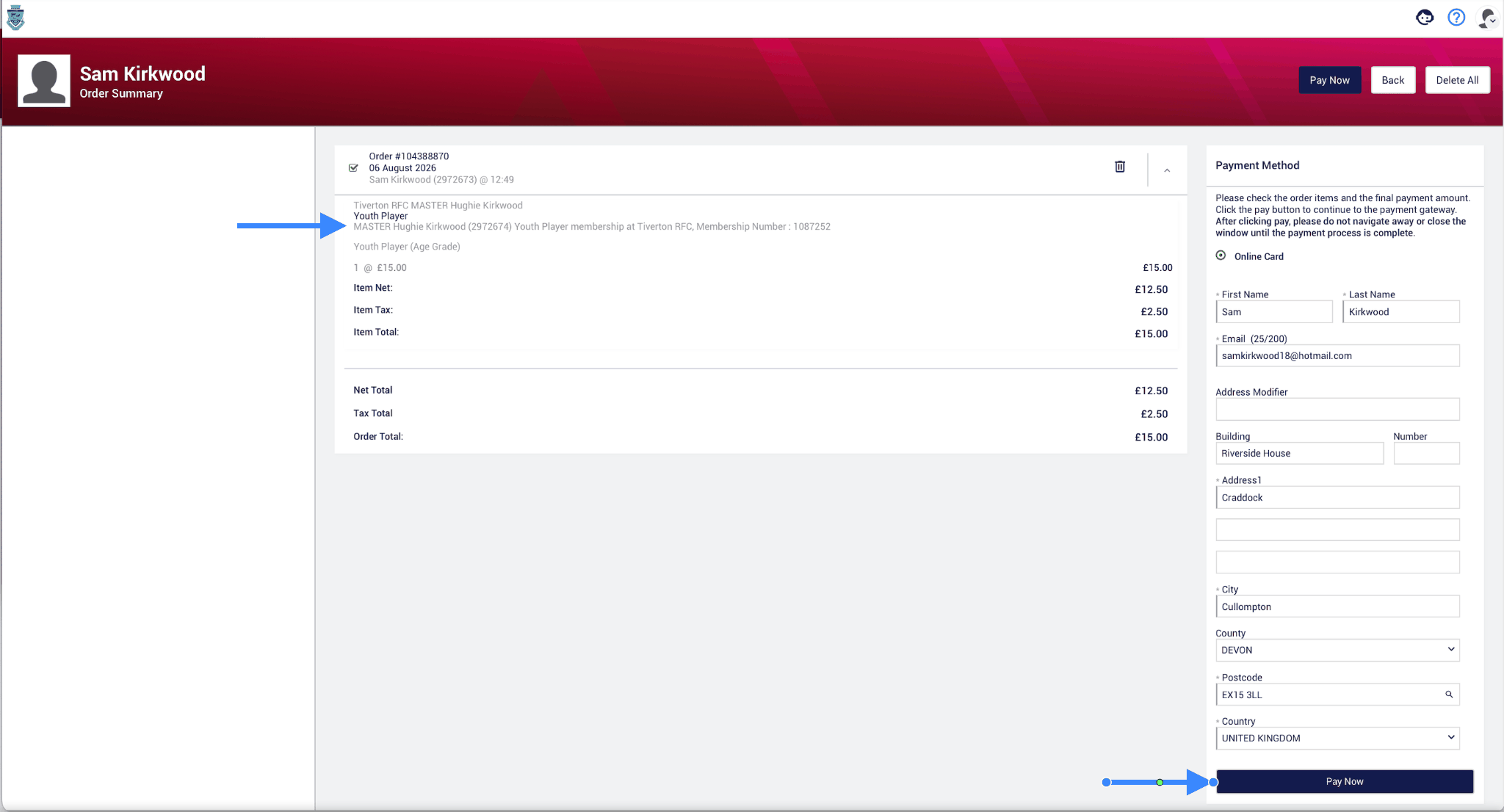
After you have clicked CHECKOUT this screen will appear. Double check the membership is for your child and not you, then hit PAY NOW:
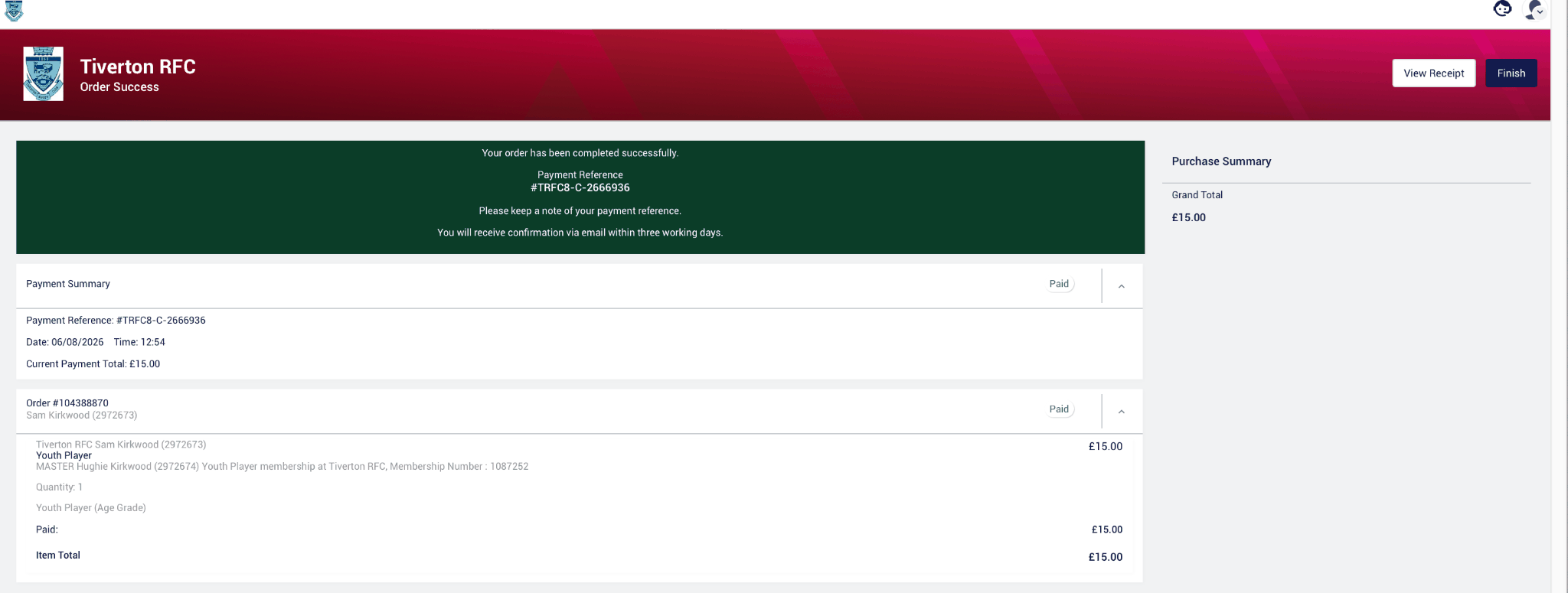
This is the payment success screen confirming the new membership:
After clicking FINISH from the last step, the system frustratingly puts you on the Parent and Guardian tab. You will need to switch back to your child's tab:
Then, using the rotating green banner, make sure you click on Renew Player Registration (Age Grade).

Then complete this form.
It asks for Format of Rugby, contact or non-contact — non-contact is for Age Groups U8 and U7 only. It also asks for your child's position. If they have a preferred one, add it; this has no bearing on where they play. It is merely an RFU data collection field for their purposes, not Tiverton's or your child's coach's. Personally I put UNSPECIFIED, as Hughie is 9 years old and positions aren't relevant for his age group. Basically, don't stress it.
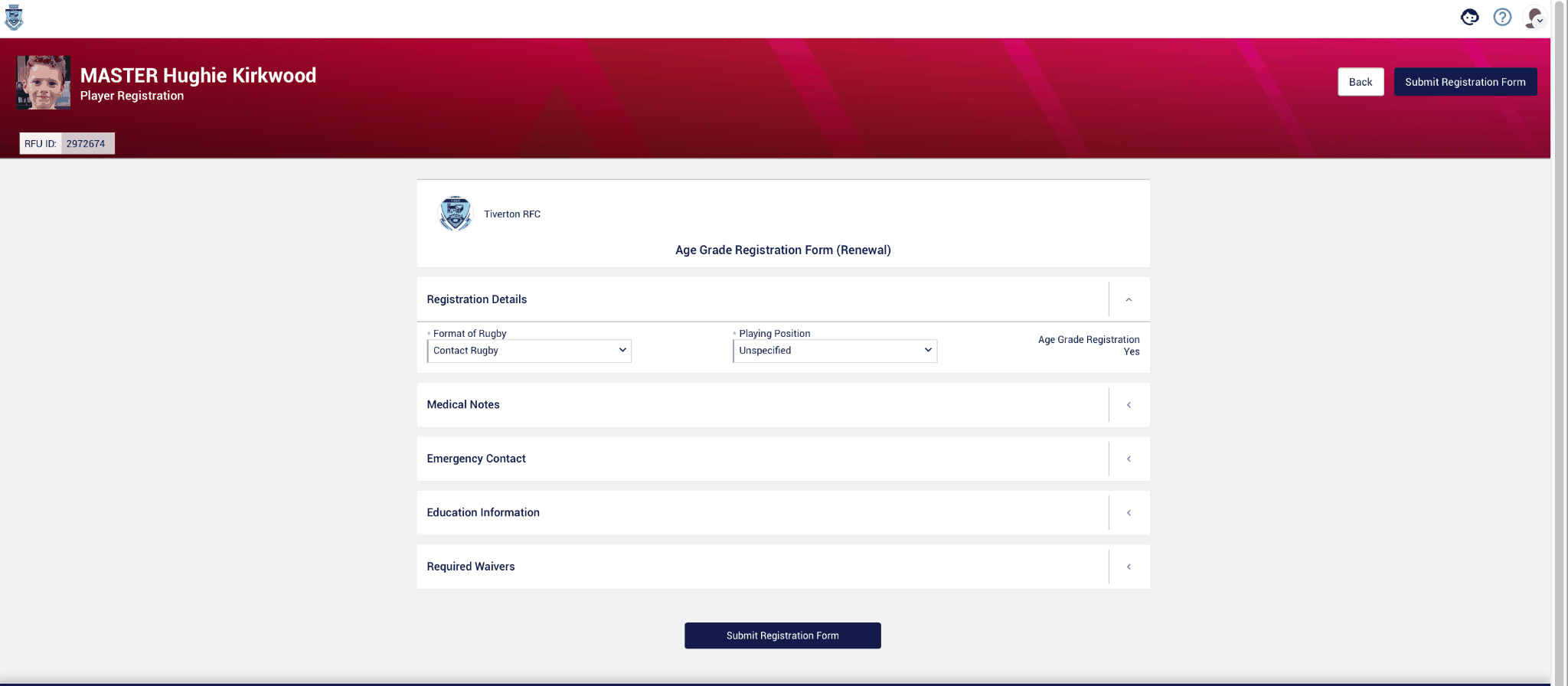
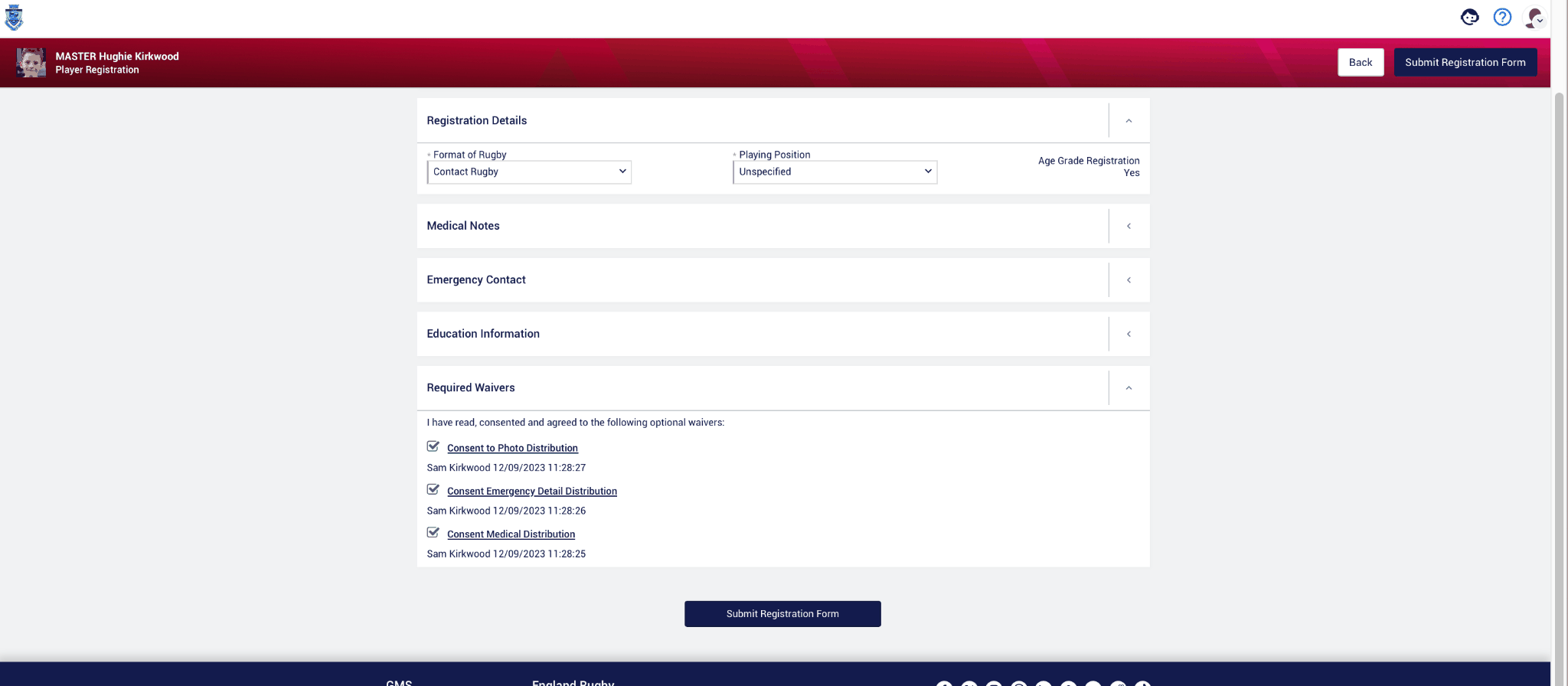
Make sure you complete the waivers — however, we have more to come…
This is the section that tripped up everyone last year — the well hidden Consents and Waivers. It's on the main dashboard, bottom right hand corner. Please do this for BOTH the player's and the Parent or Guardian's account:
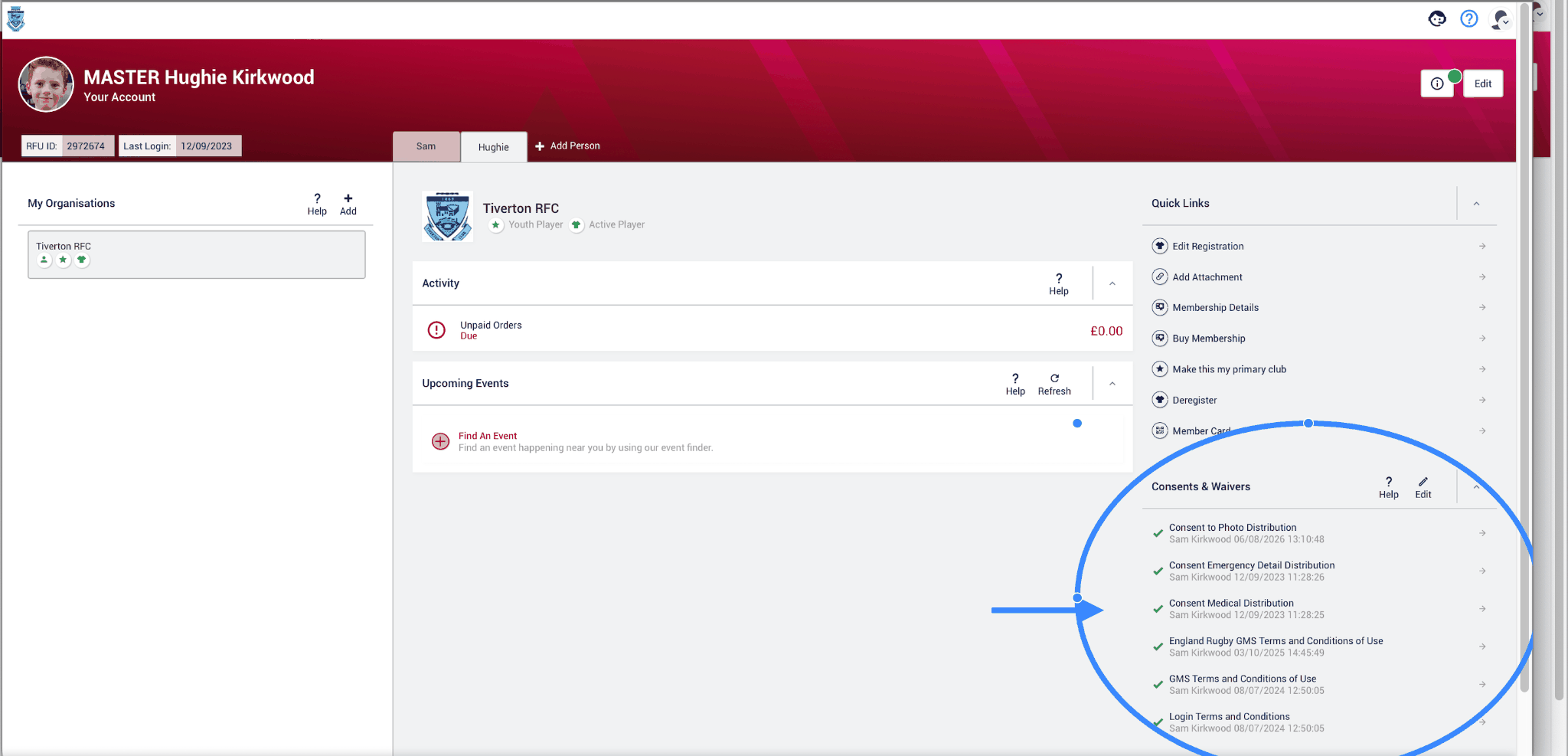
The Consent to Photo Distribution is not mandatory, however all the others are — so please make sure they all have a GREEN tick.
Please ensure the Consents and Waivers are complete, all ticked green, for BOTH the Player and the Parent or Guardian.
You have now completed your child's Membership and Renewal for the 26/27 season. If you have any questions, please direct them to your Parent Rep.